Memory: what the app remembers about you, and how to see it
ChatGPT and Claude keep notes about you between chats. What memory holds, the prompt that shows you, and how to turn it off or delete a single memory.

By Nick
On this page
Before you start
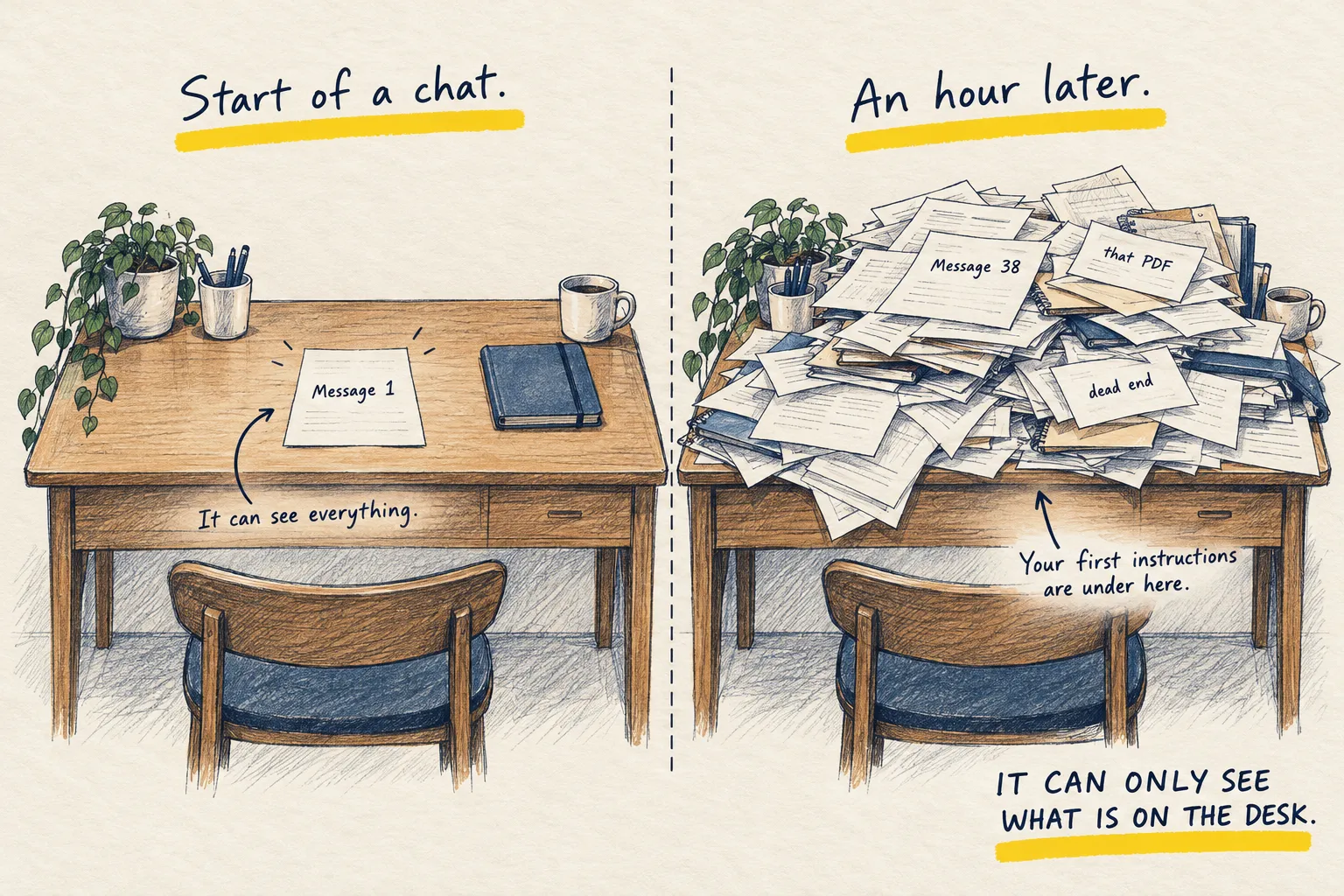
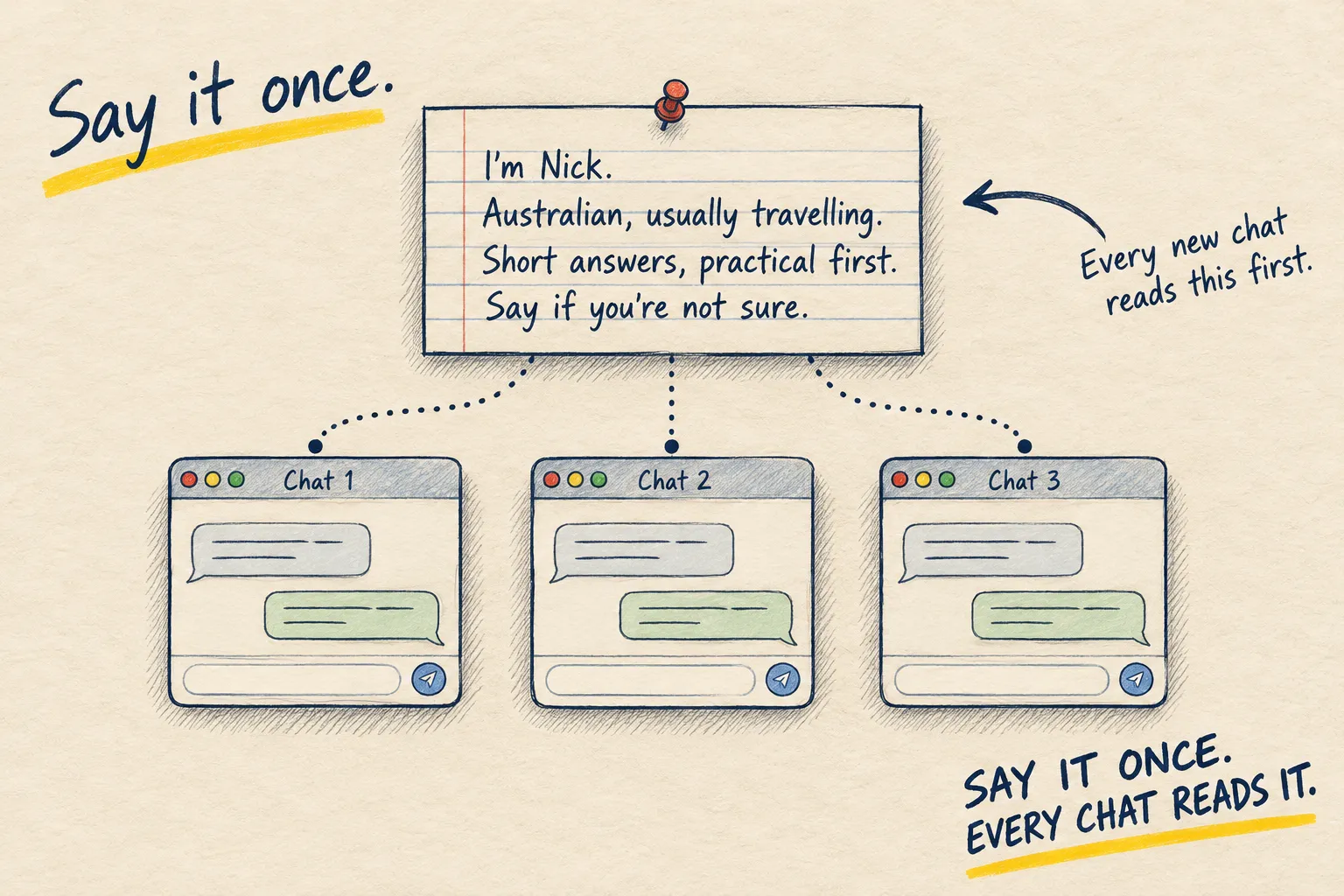
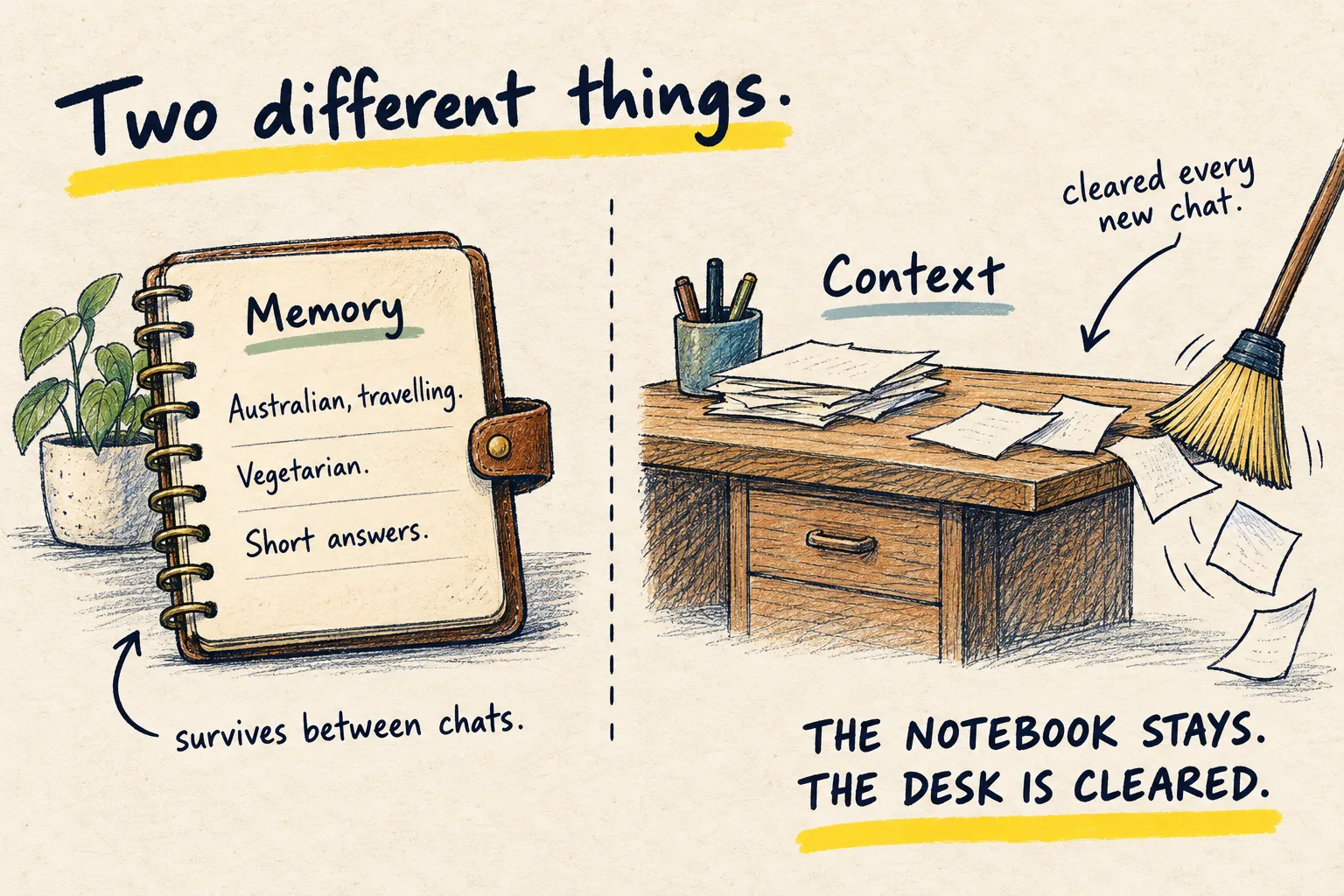
Start a new chat and the AI knows nothing, because the desk is cleared. That is context, and it is deliberate. Memory is the newer, separate thing: a small notebook the app keeps about you, which every new chat can read.
What goes in the notebook
Mostly things you said about yourself. “I am Australian, currently in Lisbon.” “I am vegetarian.” “I prefer short answers.” Sometimes a project you mentioned twice. The app decides what to save, and it tells you when it does, usually with a small “memory updated” note.
It does not save whole conversations. It does not know what you said last Tuesday unless it wrote a note about it.
Why it is worth a look
Because it is not always right about what matters. It will faithfully remember a one-off (“I am writing a wedding speech”) for months, and quietly skip the thing you say every week. An out-of-date note shapes every answer after it.
See what it holds
Paste this in a fresh chat.
List everything you currently remember about me from your memory, as short bullet points.
Do not guess or add anything from this conversation. Then tell me how I can delete any of
them.
Then go to the settings and actually look. Delete the stale ones. Add the missing ones by telling it plainly: “remember that I am freelance and invoice monthly.”
The prompt above, in a fresh chat
- You are a freelance designer.
- You have two children and live in Leeds.
- You prefer short answers.
To delete any of these, open Settings, then Memory, and remove the line. Or say “forget that I live in Leeds”.
If something surprises you, delete it. If the list is useless, tell it who you are is the box that does not drift.