Set a spending limit before you leave anything running
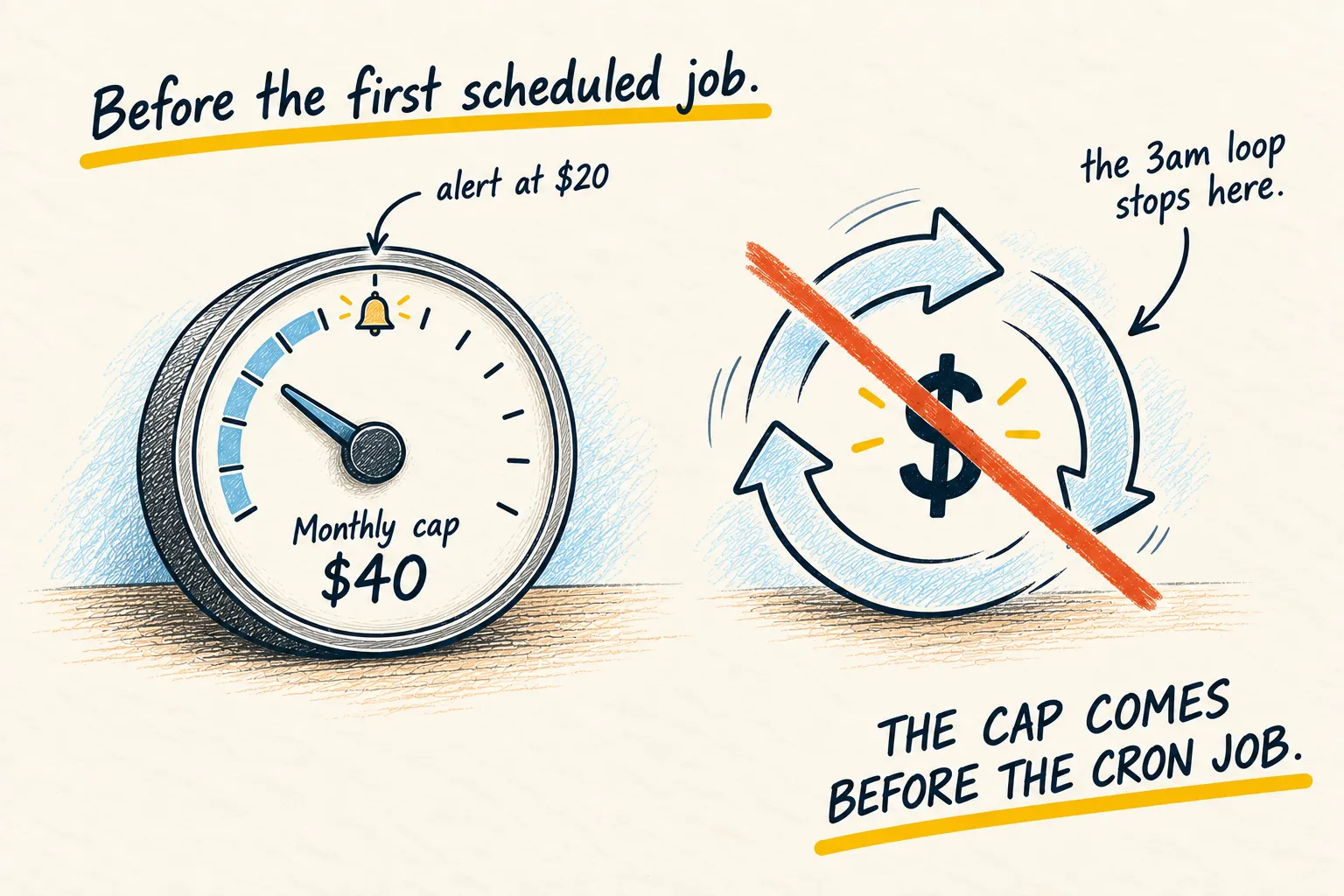
An agent in a loop is an expensive agent, and you find out from the invoice. Every provider has a monthly cap. Set it before the first scheduled job.

By Nick
On this page
- Five minutes, once per provider
- Saves money
- Intermediate
Before you start

Learn
API, decoded
1. Why this is first, not later
An agent that gets stuck retries. A retry that calls a model costs tokens. A loop that runs all night at a few cents a call is a real number by morning, and the only thing that stops it is a cap you set in advance. Everyone who runs agents has one of these stories. The ones with a cap tell it as a funny story.
2. Set two numbers
The cap. The point at which the provider refuses further calls. Twice a normal month, rounded down to something you would shrug at.
The alert. An email at half the cap. That is your warning that something is looping, days before the cap would have saved you.
Do it per provider. Every API account you hold, including the one your agent uses for images or voice.
3. Ask the agent to check itself
If you run an agent, make it part of the setup.
Before we schedule anything: list every model or API provider this setup can call, and
for each one tell me whether a monthly spending limit and an alert are set. Do not guess;
if you cannot see the billing settings, say so and tell me where I set them myself.Asking my agent to check its provider limits, using the prompt above
- OpenAI (text): cap set at $40, alert set at $20.
- Anthropic (summaries): cap set at $30, alert not set.
- ElevenLabs (voice): unknown. I can’t see its billing settings, so set the limit yourself on its billing page.
Any line that says unknown is the one to fix before the first scheduled job.
The cheap model for routine work is the other half of keeping the number small.