Spreadsheets: ask the question instead of writing the formula
You know what the column should say, not the formula. Describe it in plain words, paste the headers, and get the formula back with a line explaining it.

By Nick
On this page
- One minute
- Nothing
- Beginner
Before you start

1. Copy the headers and two rows
Not the whole sheet. The top row and a couple of real-looking rows is enough for it to see the shape, and it keeps the personal data out of the chat.
2. Paste this
I am using [Excel / Google Sheets]. Here are my column headers and two example rows:

[paste them]

What I want: [say it in plain words, e.g. a column that shows how many days until each
due date, red if it is overdue / the total for each person across all their rows / the
average of column D but only for rows where column B says "paid"].

Give me the formula, say exactly which cell to put it in, and explain in one line what
each part does. If there is a simpler way than a formula, say so.
3. Paste it in, then check one row by hand
Put the formula where it said. Pick one row and work it out yourself. If that row is right, the rest almost certainly are. That is the two-minute check for spreadsheets.
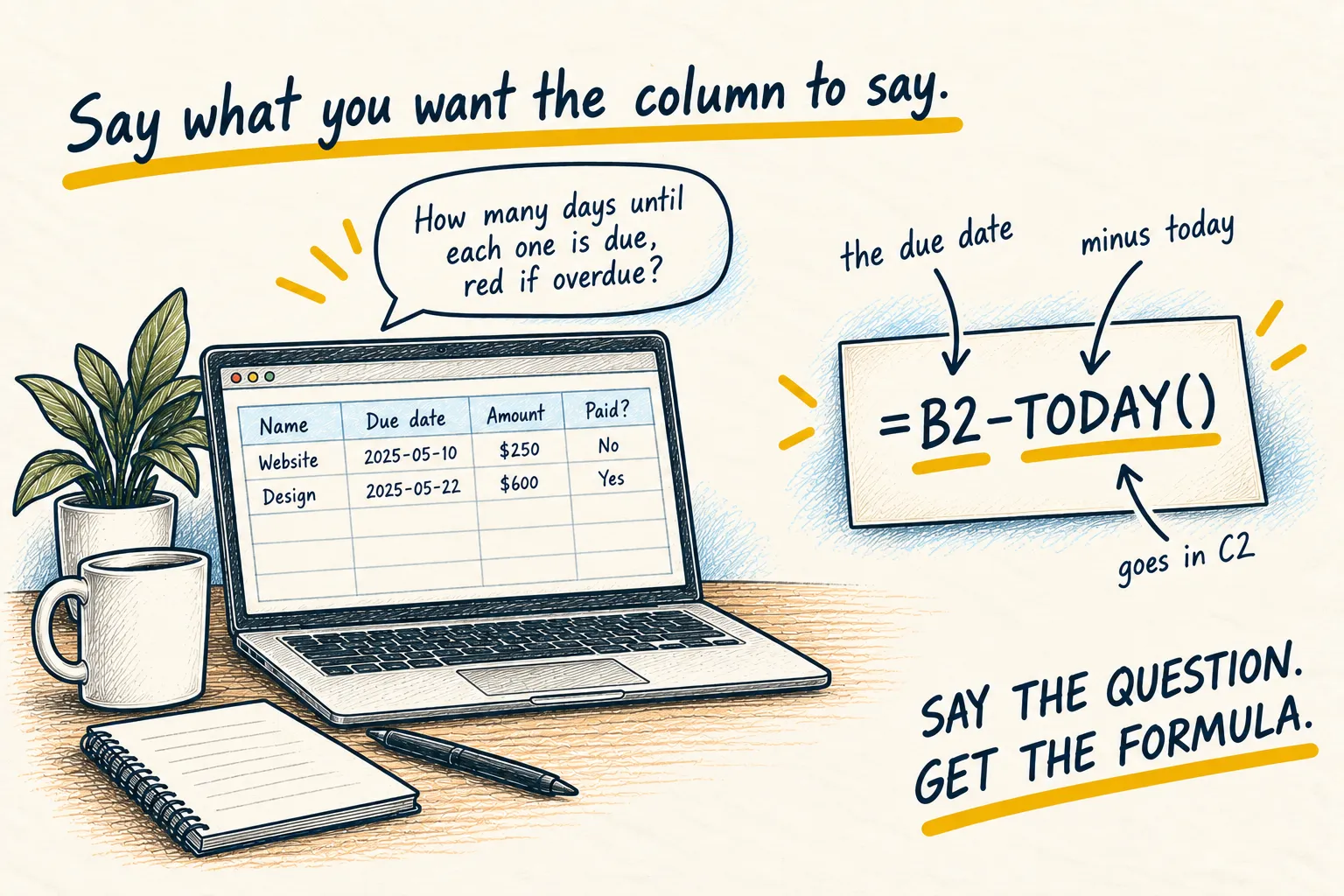
Headers and two rows of a bills sheet, asking for days until each due date
Put this in D2 and drag it down:
=B2-TODAY()
Format column D as a Number, not a Date, or you will see a strange date instead of a count.
B2is the due date in that row.TODAY()is today’s date, so the result is the days left. A negative number means overdue.
A simpler way for the red: select column D, then Format, Conditional formatting, and colour anything less than 0 red.
Check one row by hand: count the days yourself before trusting the whole column.
If you get an error, paste it back exactly, the way the error page says.